Media Matrix
The Proposal
Challenge
The new virtual production lab contains a lot of new equipment which many incoming students may not know how to operate and while everyone has access to Google, it might be hard to figure out how to use some of the equipment, especially if you do not know what to look for. Currently, there is no collective documentation of the equipment that is in the media lab and how it can be used.Media matrix was approached by FHICT Media to conduct research on the equipment.
Key Objective
Our task is to deliver an accessible, concise and digestible documentation of different kinds of equipment in the renewed virtual production lab.
Solution
The solution will contain a series of detailed instructions on particular equipment such as the teleprompter, the green screen and safety and security. The instructions would include; what the equipment is, what it is used for and a detailed step by step on how to use the particular equipment. It will also contain videos demonstrating how these equipment work.
Process
Our mission
Our company is responsible for efficient documentation by conducting research on equip- ment found in the virtual pro- duction lab to make the usage of them easier for potential users.
Logo Variation


Logo Icon



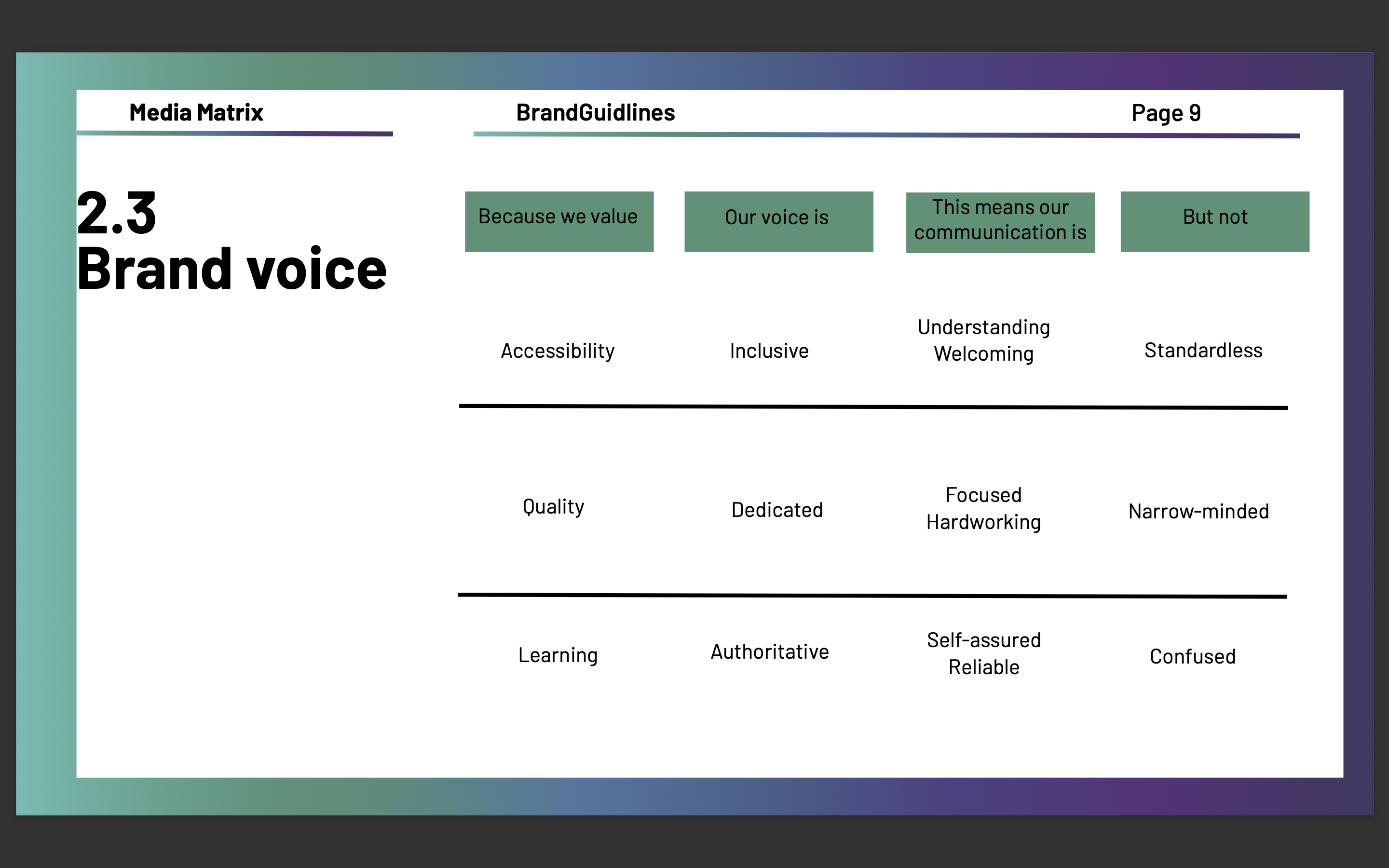
Brand Voice
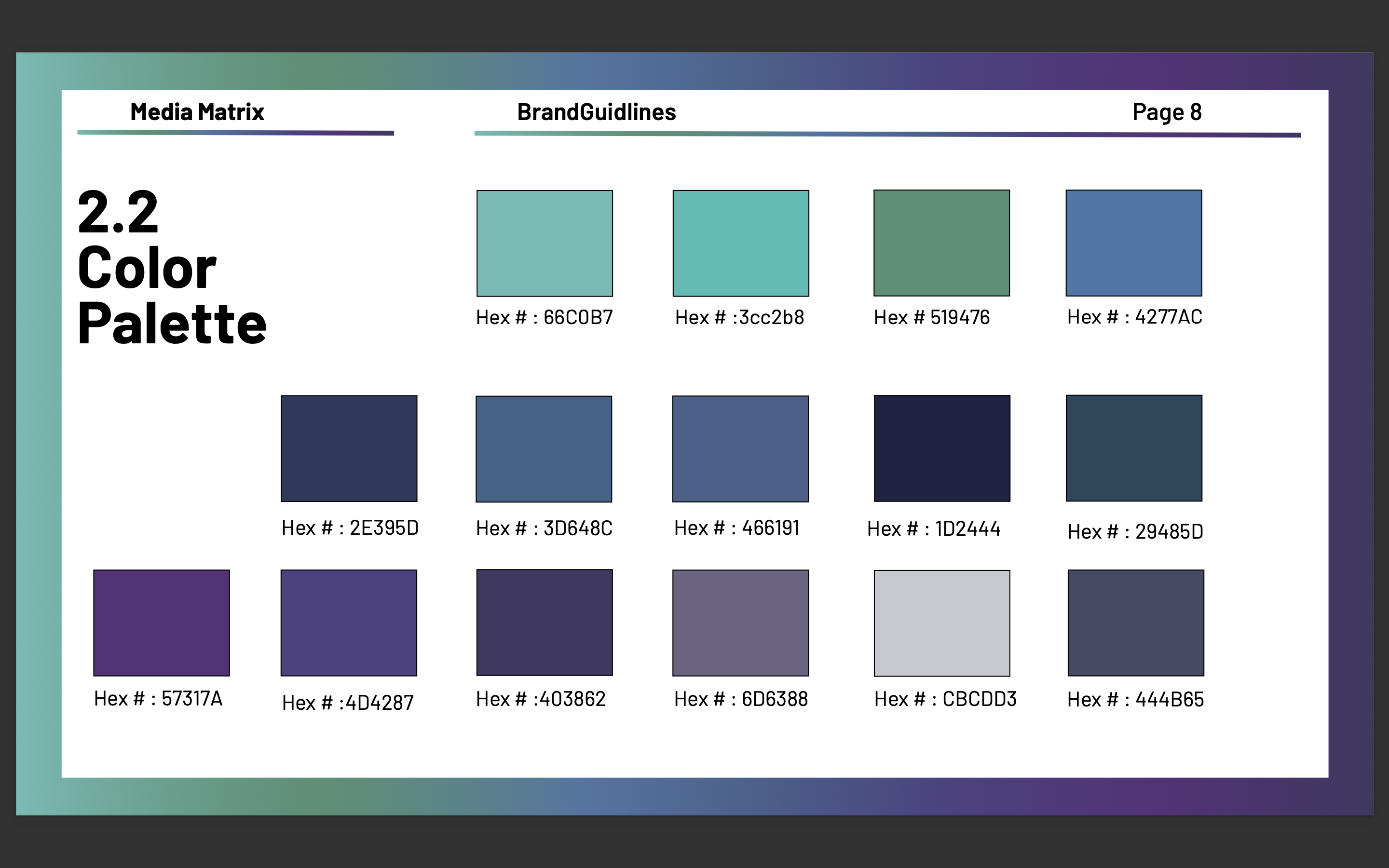
Branding Color Palette
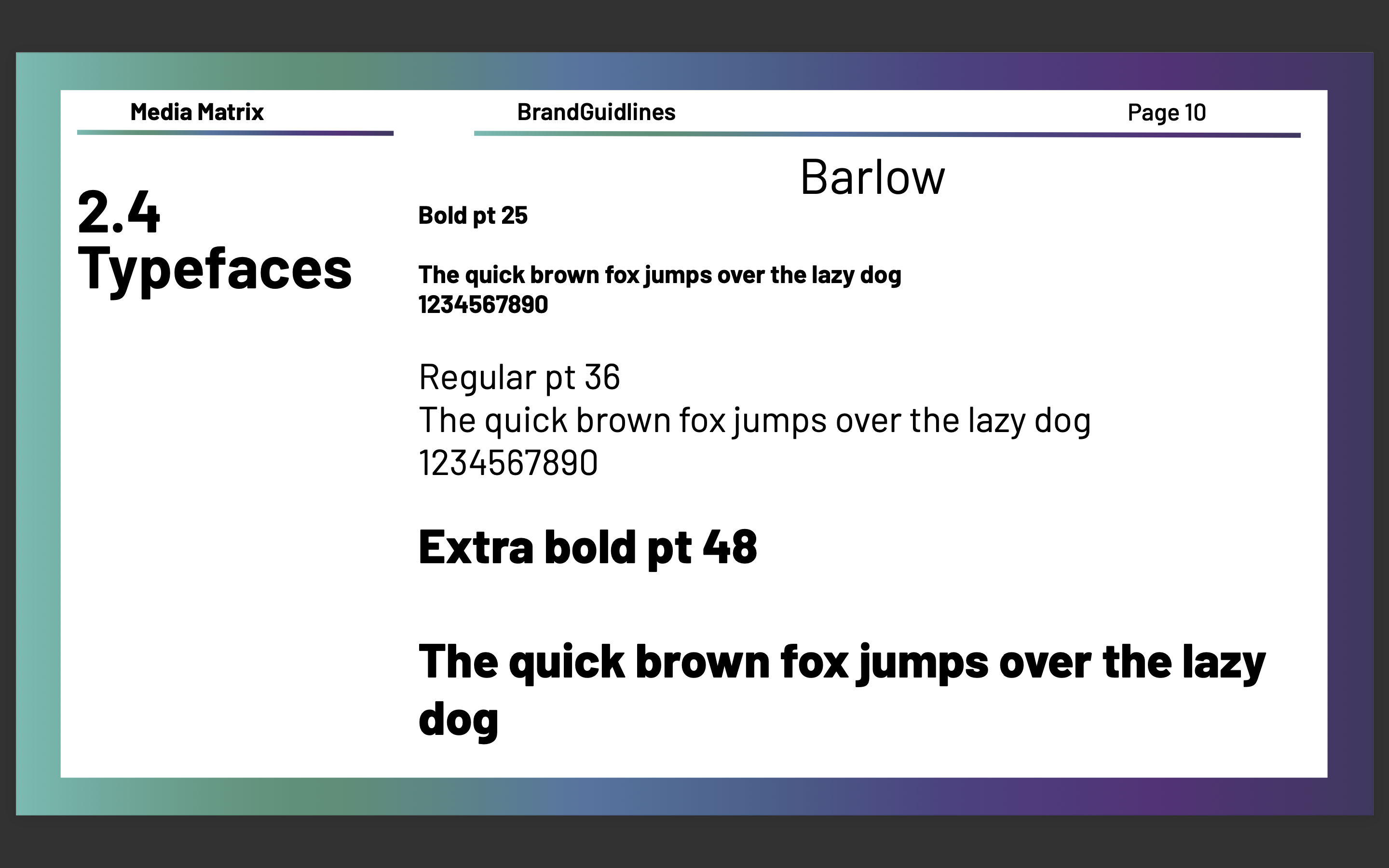
Brand Typeface
Research
Survey findings
The purpose for this survey was to gather insight on the problem in the video lab and the difficulties faced by students. Along with gaining information on how people learn best so we can execute our content.
Results have been gathered from 27 respondents. The survey results came from different online communities. The majority of responses we received were from the 21-24 age range, with 44.4% of results. The second largest demographic was the 17-20 demographic with 40.7%. Majority respondents were from semester 3 with 48.1% and secondly semester 2 with 37%. Regarding the video lab problem, it was asked if they have ever used any equipment in the video lab and 57.7% answered yes and the remaining said no. The most used equipment among the respondents are cameras, lights and microphones. Their experience was scaled from 1-5 with 1 being the worst and 5 good. (1-2) 11.2% had a bad experience , (3) 66.7% experience was in-between and (4-5) 22.2% had a good experience. Regarding their experience, it was asked why it was like that and some respondents said that they had prior experience with the equipment but on the other hand some had difficulties in operating the lights. All respondents said that it would be very useful to provide step-by step tutorials. Among the respondents 37% learn best with video tutorials, 22.2% with text and images, 37% with both video tutorial and images & text. Someone suggested a video with text (subtitles). Finally the functionality that an informative website should have is the playback button (77.8) and responsive website with 88.9 %. It should be downloadable with 51.9% and a search bar with 33.3%.
Interview with client
This first interview with our client was to find out what really is the problem in the video lab and what his ideas and expectations are. Josh is one of the caretakers of the video lab as a teacher.
The main problem for him and his colleague as the caretakers of the video lab is that they are the only ones that know how to use the video lab. Therefore it will hardly be used which will be disappointing or they would have to constantly play a support role or receive a lot of panic emails about a specific equipment not working and this would like to be avoided. From a student perspective the problem is that they don't know how to use it so they might be afraid to try especially when there's no one around. His expectations are that after someone goes/reads through the article or watches the video they gain knowledge. So the article/ videos should be easy to understand and fail proof. An explanation should be provided with possible solutions in case something does not work. He doesn't want to see that we come off topic or recreating existing videos/ tutorials. The content should be used as an introduction to the equipment on how to use it and not to impress that the knowledge gained is only limited to be used with that one equipment. Between the teleprompter and the greenscreen he thinks that the students would need more explanation on the greenscreen. It would need an explanation on how to use it from the beginning to end, from setting up the lights, filming correctly and then using video editing software to replace the background.The teleprompter on the other hand, should be straight forward. The only difficulties are how to set it up and to learn how to work with the video mixer.
Empathy Map
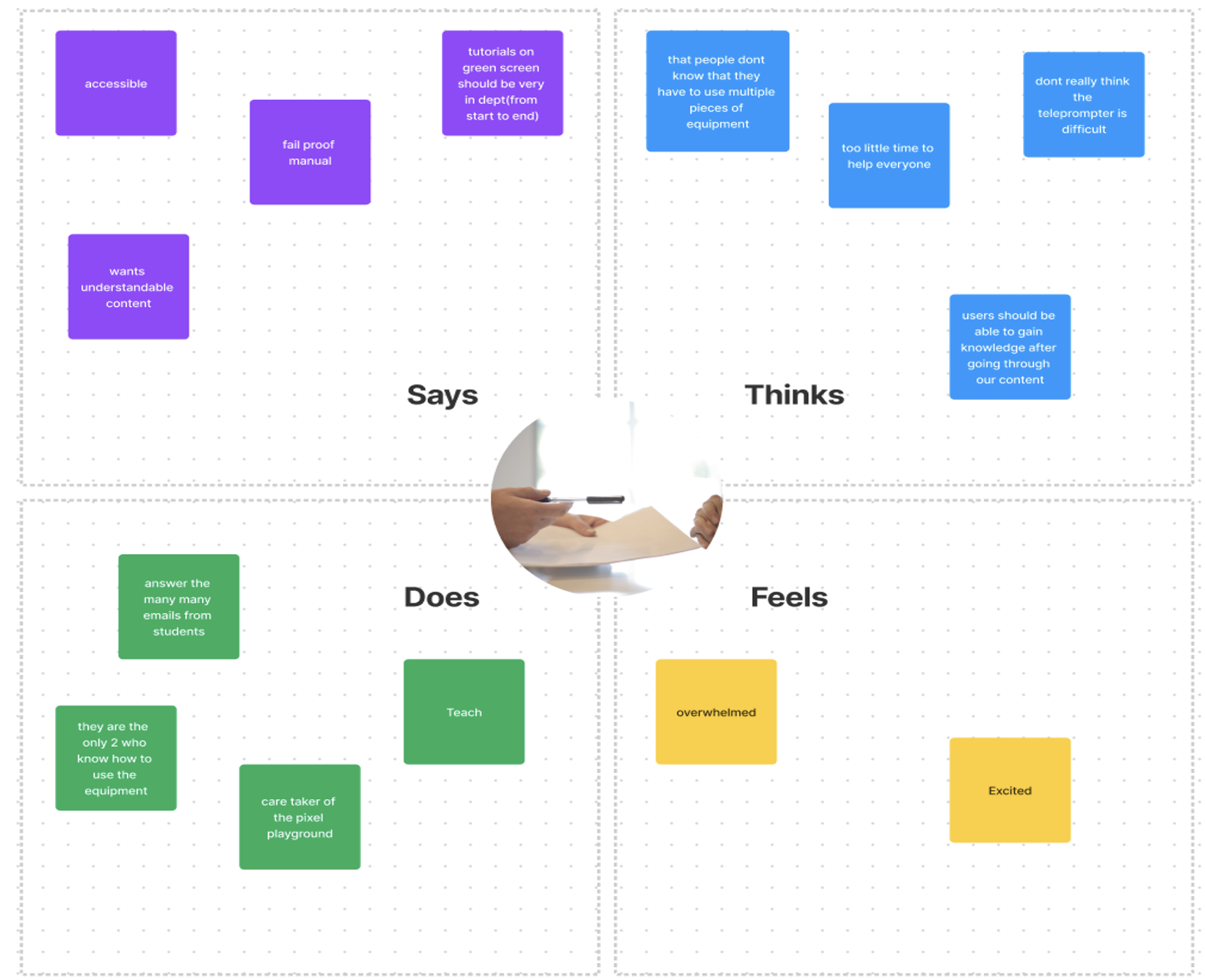
For the Empathy map I used the data that we got from the interview with the client. The empathy map was used to visualize all that I know about the client. The information is categorized in four sections. For “says” I added the things he said about how the content should be. For “thinks” I added things that came to his mind. For “does” we added things he does. For “feels” I added the way I think they feel.
Interview with user
The interview was conducted to gain more knowledge from the users. He had been in the video lab before the renovation and used the lights that stand and cameras. His experience was good but there's the simple lights that change colors and there's fancy ones with digital displays which are very confusing. He finds the equipment needs explanations, especially the led screen and the lights. He learns best readable step by step tutorials when he does things that are a process and prefers videos when something has to be understood how it works. The screen green is straightforward but he doesn't have any experience with the teleprompter.
Persona
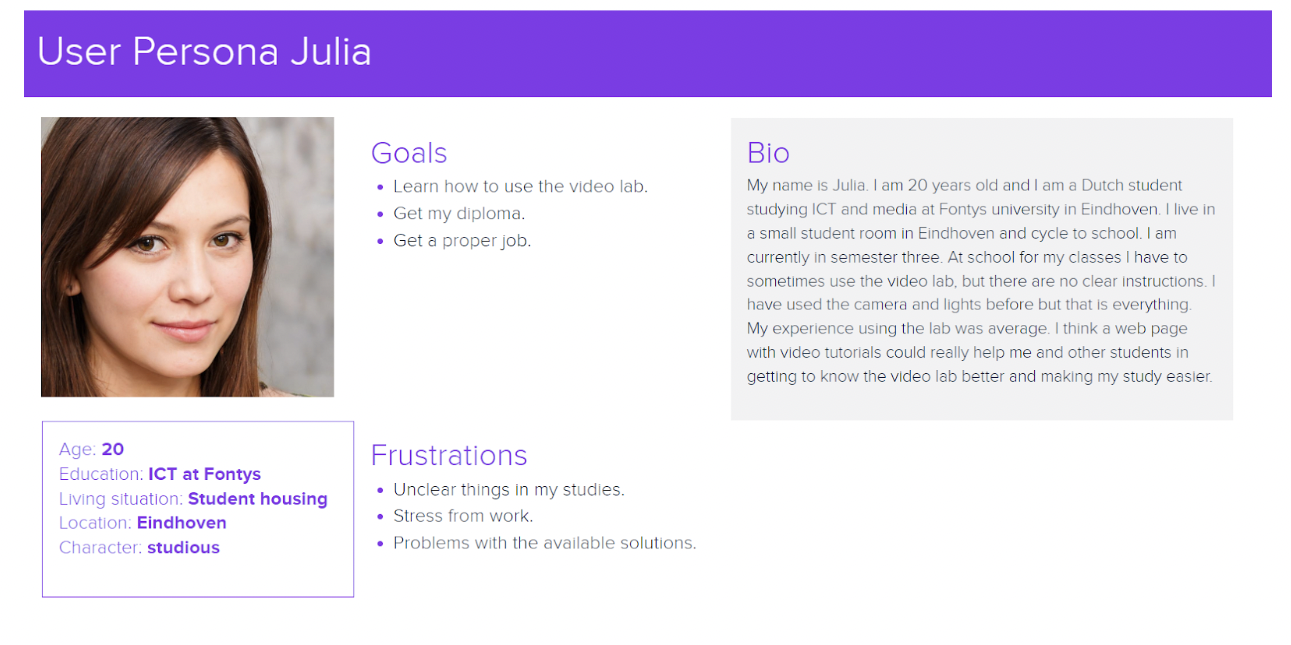
A persona that represents a potential user and how her past experience in the video lab was and how it can be improved.
Competitor Analysis
The end product is a prominent online website that offers a wide range of video-based and written content. To have a better understanding of our competitors, we have conducted a competitor analysis. This analysis will help Media Matrix identify its strengths, weaknesses, opportunities, and threats in this market.
| Competitor | Strengths | Weaknesses | Opportunities | Threats |
|---|---|---|---|---|
| YouTube Channels |
|
|
|
|
| Udemy |
|
|
|
|
| ChatGPT |
|
|
|
|
POV & HMW
| User | Needs | Insight |
|---|---|---|
|
|
|
|
|
|
|
|
|
- How might we bring the information the best way to the users? (Video/text/sound/images)
- How might we best explain how to use the equipment? (Type of writing, like baby language, small steps, easy words or more detailed)
- How might we make sure users find the information provided? (Like the QR code linked to website idea)
- How might we illustrate the steps taken in the guides if it's in text? (Edit afterwards or while taking pictures)
- How might we make it appealing to use the guides? (Some people will be lazy and not use it and still break the equipment)
- How might we make the guides as accurate as possible?
- How might we keep the guides up to date in the future?
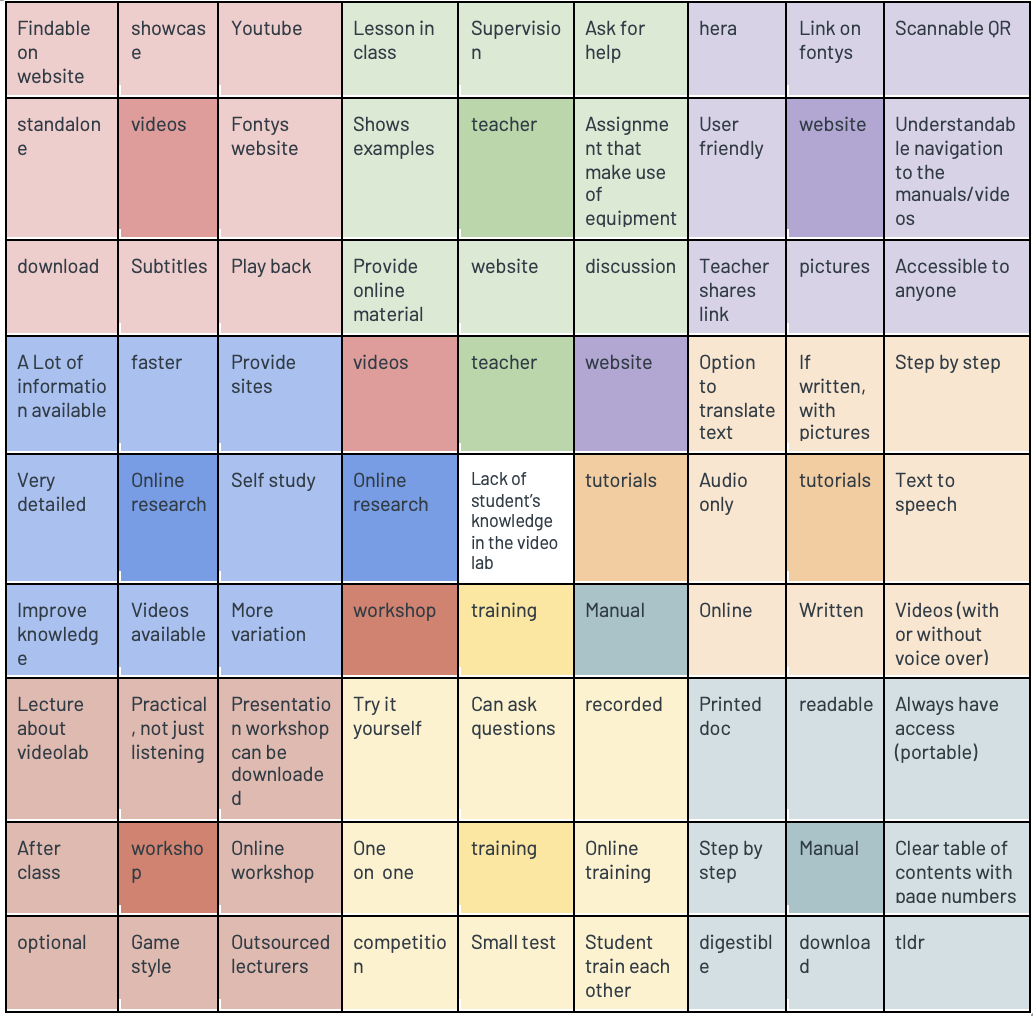
Lotus Blossom Framwork
Other Projects